
Close up of desk and laptop that shows insurance plan options

New Hires & Life Events

As a New Hire, you have access to a wide range of competitive benefits covering your physical, emotional, and financial health. Explore this site to learn about all the plans and programs Apple Bank has to offer.

Full-time employees working a minimum of 30 hours per week are eligible for benefits.  New employees become eligible for benefits on the first of the month following their date of hire unless otherwise noted.

Dependent Eligibility

When you enroll yourself in the benefits program, you may also enroll your eligible dependents in benefits including medical, dental, vision, and voluntary life insurance. Please review your dependents’ eligibility to ensure they meet the requirements to be covered under our benefit plans.

Eligible dependents include your:

  • Legal Spouse (the person recognized as a covered employee’s husband or wife under the laws of the state where the covered employee lives.)
  • Children up to age 26, regardless of marital, employment or student status
  • Children age 26 or older who are unmarried, disabled and financially dependent on you
  • Children include:
    • Natural and adopted children and children placed with you for adoption
    • Children of your current spouse
    • Children for whom you are the legal guardian
    • Children named in a Qualified Medical Child Support Order

Dependent Children are covered under the medical, dental, and vision plans until the end of the month in which they turn age 26. For voluntary child life coverage, a child is covered until the end of the month in which they turn age 20, or until age 26, if a full-time student.

You will be required to submit supporting documentation when you add new dependents to any plan.

The benefit choices you make during annual enrollment remain in effect for the entire year. You cannot change your benefits during the year unless you have a qualifying life event.

If you have a qualifying life event, you have 31 days to add or remove your dependent(s). Any change you make must be consistent with the qualifying life event. You will be required to submit documentation that supports your life event. You will also be required to submit dependent documentation if you are adding a new dependent to the plan(s).

As defined by the IRS, a qualifying life event includes:

  • Birth, adoption, or placement of a child for adoption
  • Marriage, divorce, legal separation, annulment or death of your spouse
  • Employment changes that cause you or a dependent to gain or lose eligibility for benefits, such as starting or leaving a job, changing from part-time to full-time employment, and starting or returning from an unpaid leave of absence
  • An event that causes your child to no longer be eligible for coverage, such as reaching age 26
  • Any change in your home or work location that affects your eligibility for coverage — for example, moving out of the medical plan’s network area
  • You, your spouse, or your child becoming enrolled in Medicare or Medicaid

Dependent Children are covered under the medical, dental, and vision plans until the end of the month in which they turn age 26. For voluntary child life coverage, a child is covered until the end of the month in which they turn age 20, or until age 26, if a full-time student.

Contact benefits@applebank.com with questions.

NOTE: Enrollment through the ACA Exchanges does not count as a Qualifying Life Event.

How to Enroll

Please be sure you’ve carefully reviewed all materials provided as you consider your benefit needs. This is your one opportunity to select your benefits for the 2026 plan year, unless you experience a qualified life event (marriage, divorce, birth etc.).

Benefit enrollment takes place online at Workday. Follow the steps below to get started.

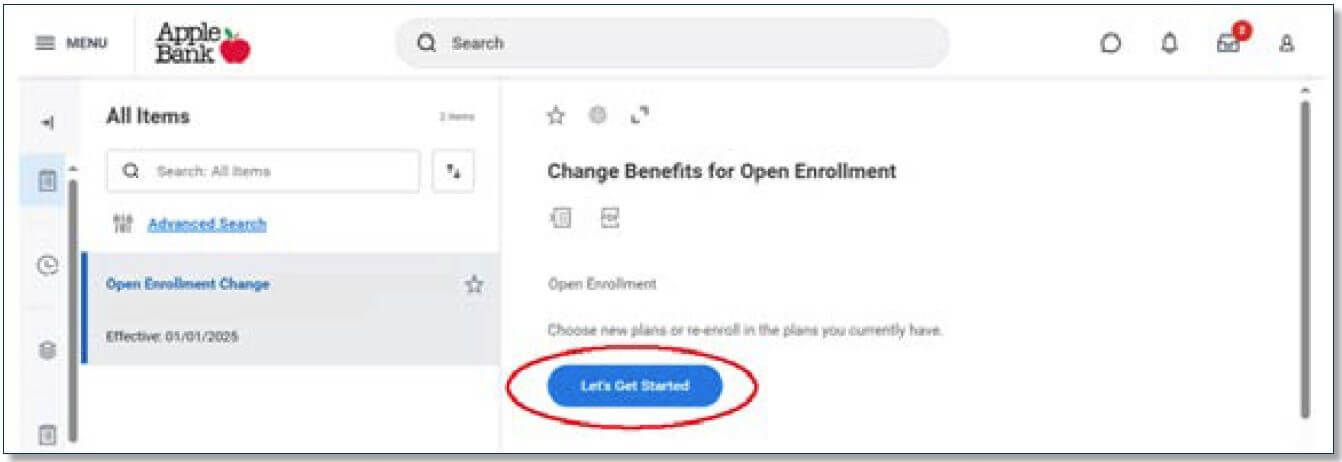
1. On the Workday homepage, under “Awaiting Your Action,” select the “Open Enrollment Change,” task.
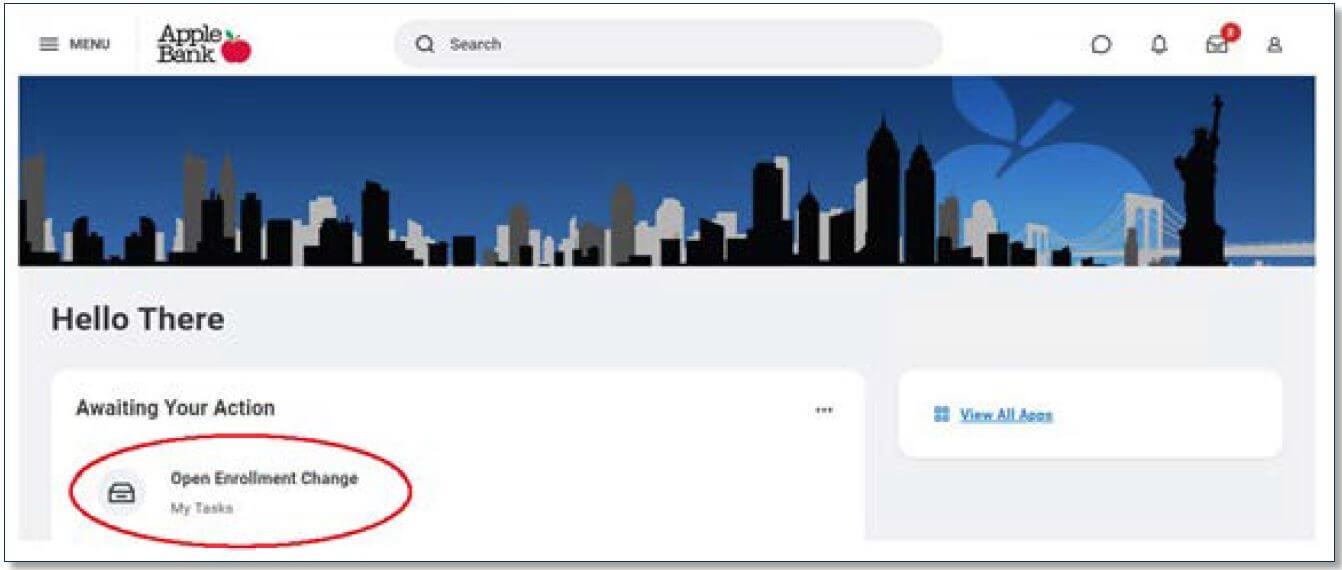
2. Click on “Let’s Get Started

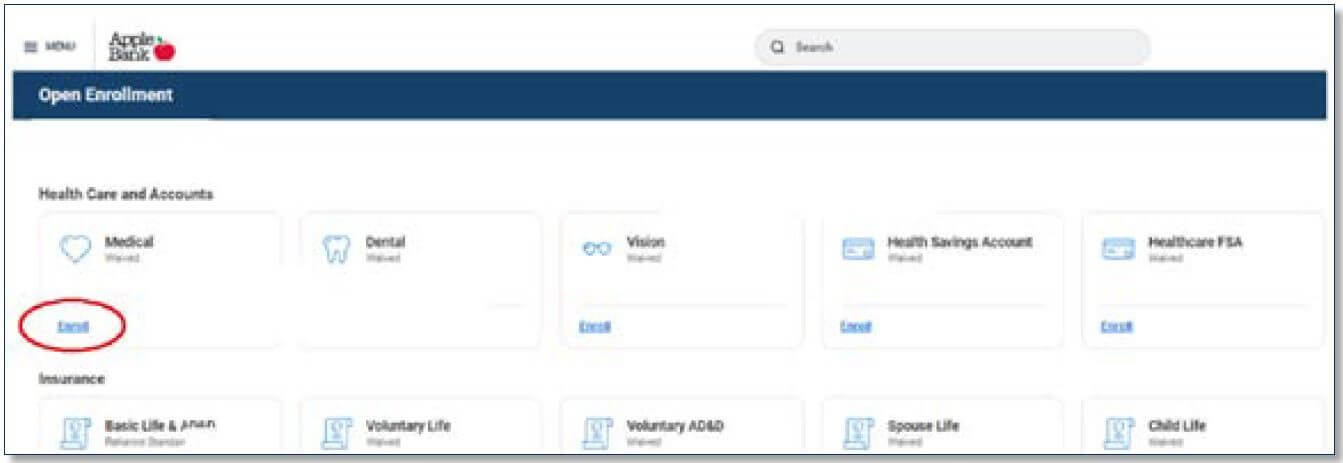
3. Review each benefit card and select “Enroll” if you wish to enroll for the first time or “Manage” to review/make changes to that particular benefit. Follow the instructions and prompts on each screen.
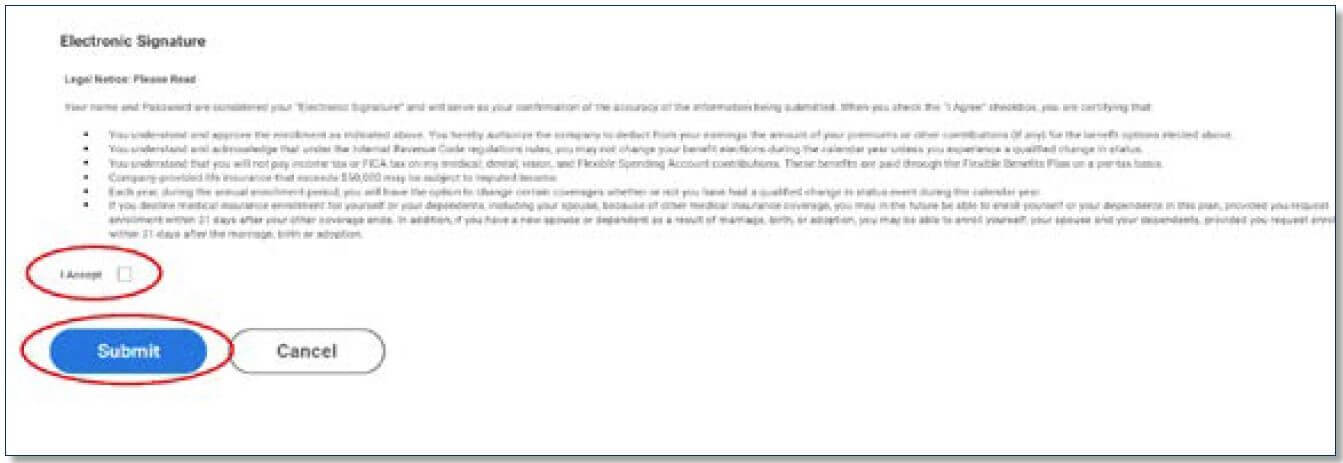
4. Carefully review the summary page and legal notice and select the “I accept,” checkbox as this is your electronic signature for your enrollment. Select “Submit,” when finished.
To view how to add new dependents, beneficiaries, emergency contacts and more, visit Workday Open Enrollment Steps.

 
2026 Pre-tax IRS Maximum Contribution Limit Changes
Benefit Amount
Health Savings (HSA) Single Coverage $4,400*
Health Savings (HSA) Family Coverage $8,750*
Health Savings (HSA) Catch-up Over Age 55 $1,000
Transit Commuter (monthly) $340
Parking Commuter (monthly) $340
401(k) Traditional & Roth (combined) $24,500
401(k) Traditional & Roth Catch-Up (combined) – Age 50-59, or 64 or older $8,000**
401(k) Traditional & Roth Catch-Up (combined) – Age 60-63 $11,250**
Medical Flexible Spending $3,400
* Includes employer contributions of: $600 individual / $1,200 family
** SECURE 2.0 allows for a higher catch-up contribution limit for employees aged 60, 61, 62 and 63 who participate in these plans. For 2026, this higher catch-up contribution limit is $11,250 (compared to $8,000 for age 50-59, or 64 and older).